
MacBook control center
What’s keeping
your Mac busy?
Tabs dragging? MacBook feeling warm? CoolerMac’s little companion shows what’s using your Mac and helps you decide what to close.
Fan-control trial · Apple silicon MacBook Pro · macOS 14 or later

Still using Chrome?
It hasn’t been in front for 40 minutes. If you’re finished, you can review it before closing.
Upcoming dashboard
A peek inside CoolerMac.
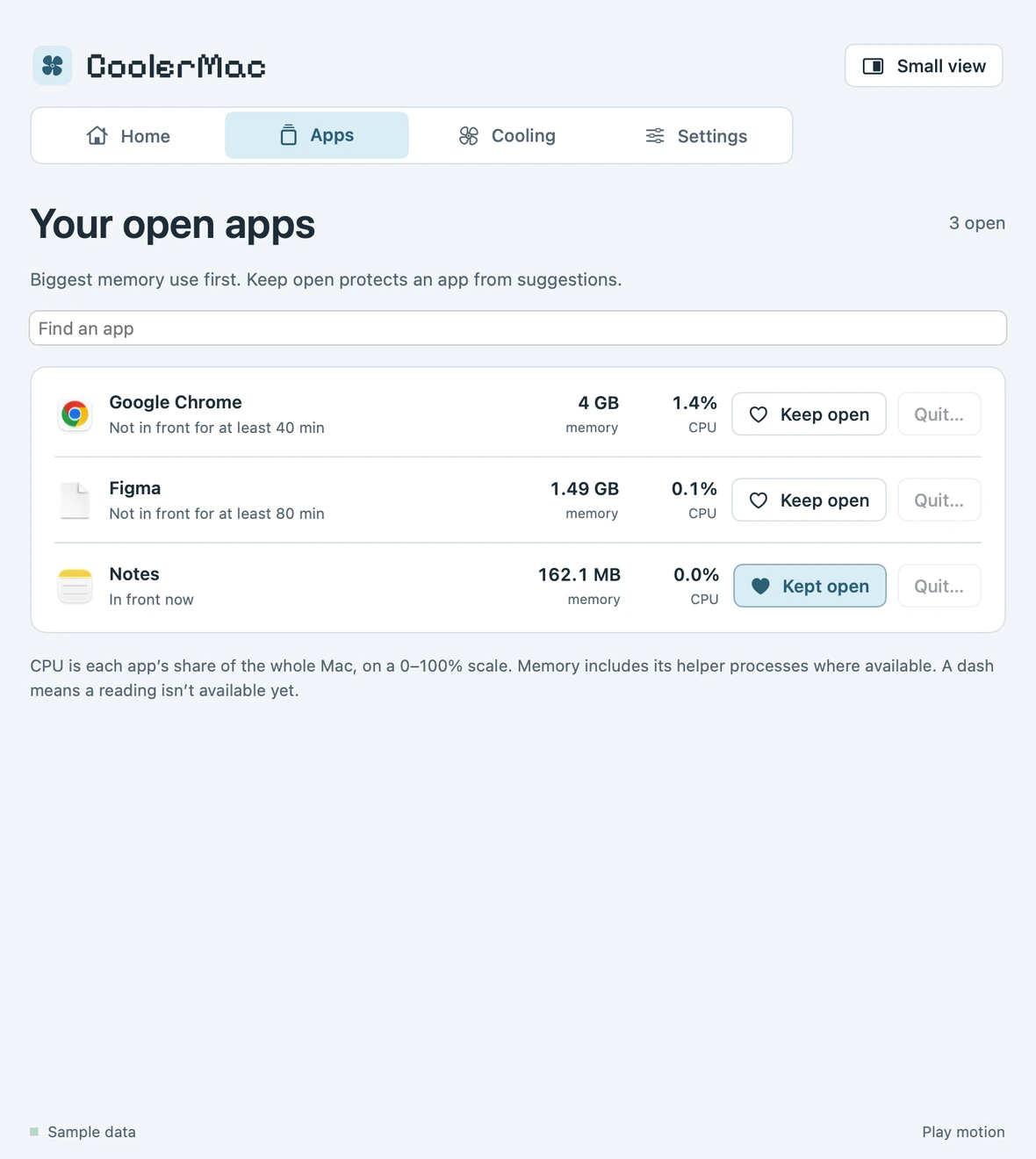
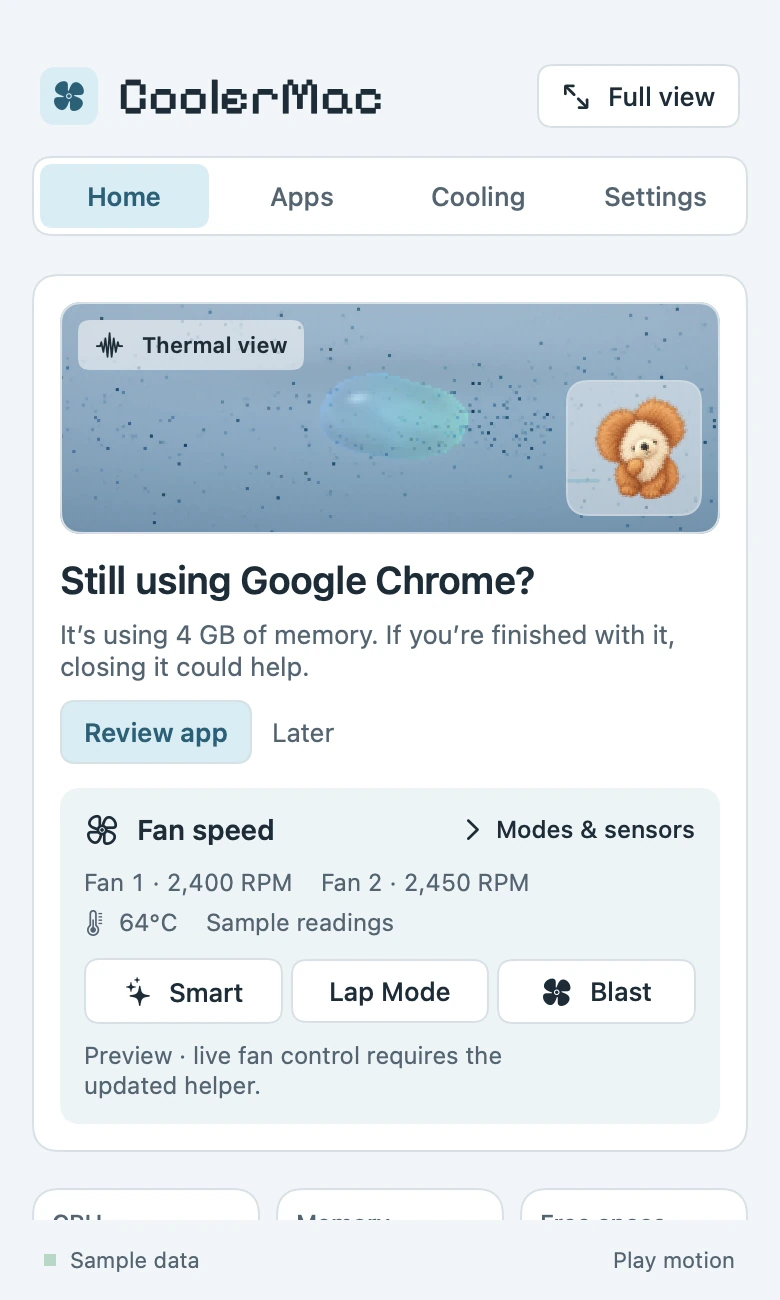
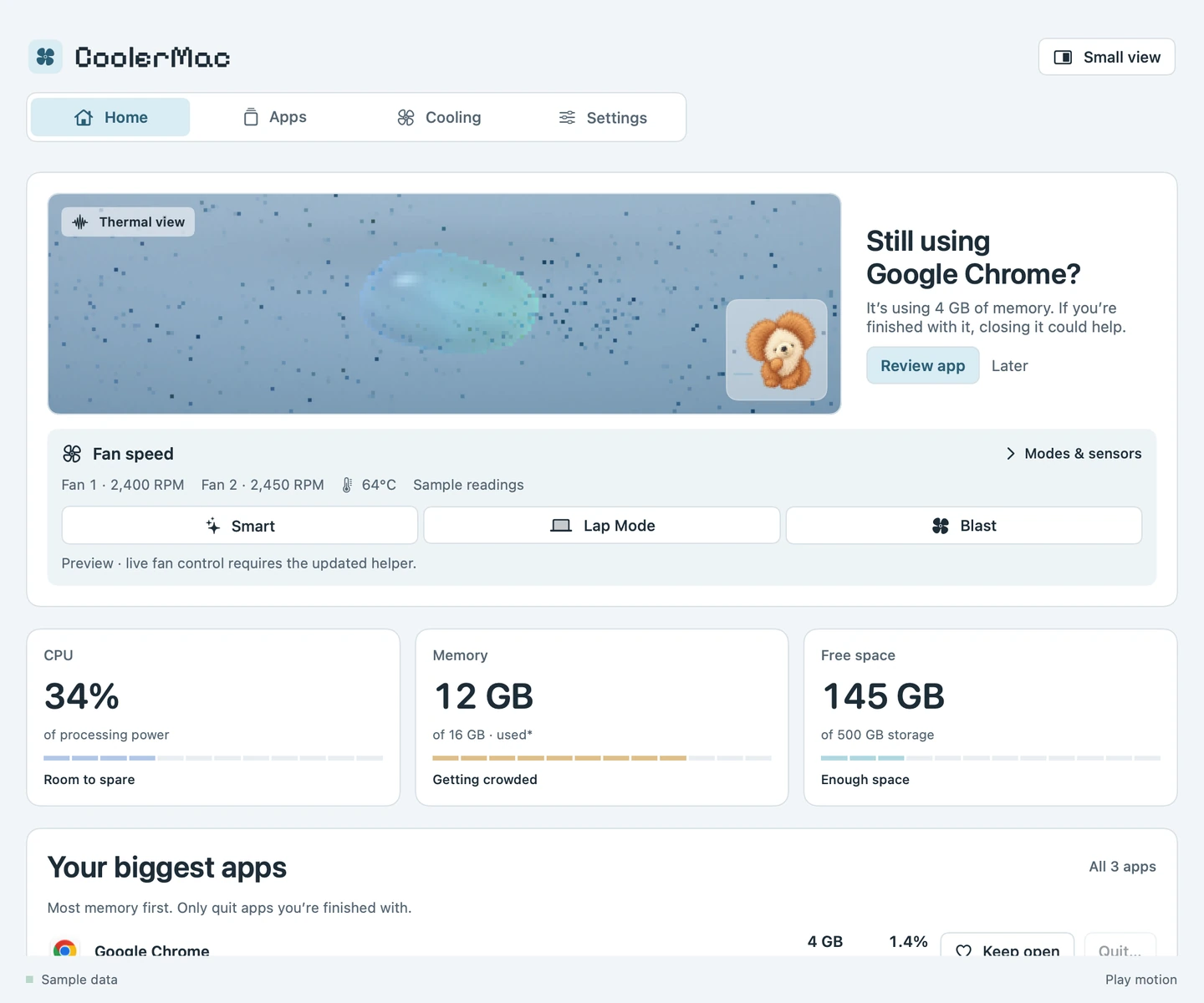
See how hard your Mac is working, how full its memory is, and how much storage is free.
Available now · Fan control 0.1.4
Give your fans
a little help.
See your MacBook Pro’s temperature, pick a cooling mode, or let Apple take over again. The fan-control app lives in your menu bar.
Apple silicon MacBook Pro with fans
macOS 14 Sonoma or later
What can I download today?
The 7-day trial includes menu-bar fan control, cooling modes, and temperature readings on supported MacBook Pros. The companion dashboard above is a preview of the next release.
How do I check my MacBook model?
Open the Apple menu and choose About This Mac. Look for MacBook Pro, an Apple M-series chip, and macOS 14 or later. MacBook Air models with Apple silicon have no internal fan to control.
How do I start the trial?
Enter your email in the download form. Unzip CoolerMac, move it to Applications, and open it. You’ll find the fan controls in your menu bar.
Can I go back to Apple’s fan settings?
Yes. Choose Apple Auto to hand control back to macOS. The fan-control app also restores Apple Auto when you quit.